

Features
A complete toolkit around the hedged grid: pick a pair, check its history, run it, get alerts and review the results.
Hedged grid
Available on Standard and Advanced.
Grid workbench
Create a hedged grid in three steps: connect your exchange → pick a pair → confirm parameters. Running grids sit in one table showing position, fills, P&L and how far each is from its loss exit line.
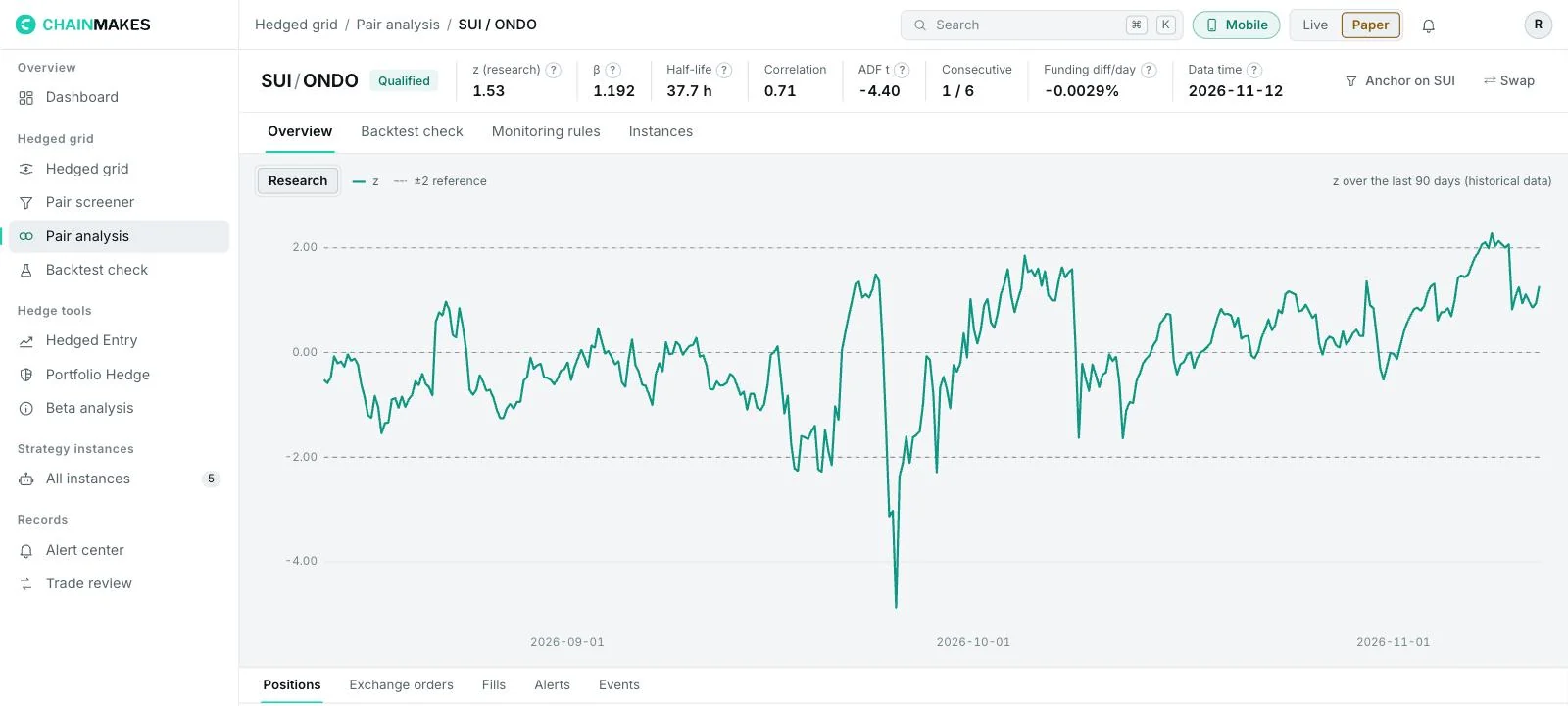
Pair analysis
Ratio chart, spread, z-score, volatility and each leg's history on one page, to judge whether the pair suits a grid right now.
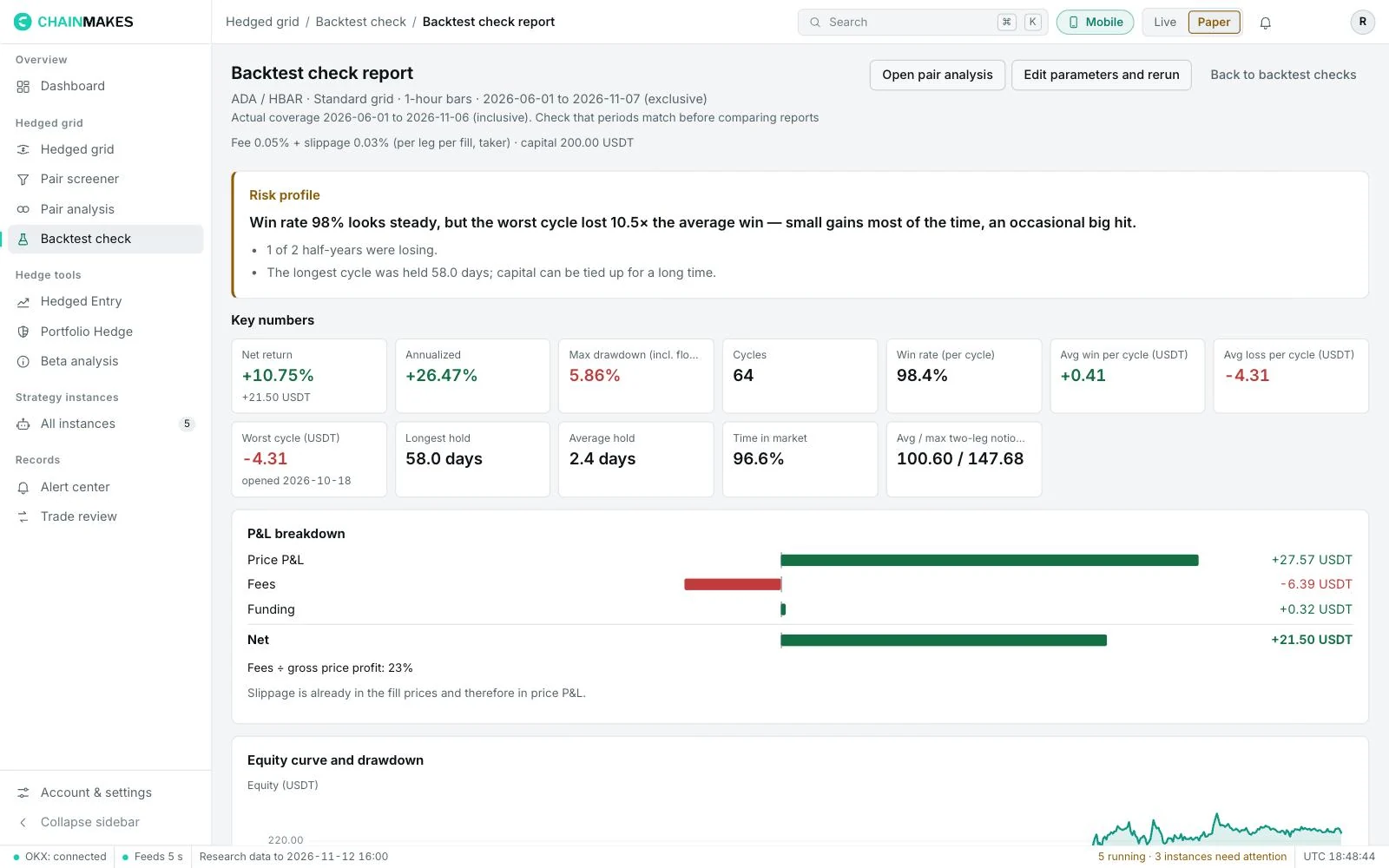
Backtest check
Run your parameters on historical data before starting. See the return distribution, max drawdown and the worst runs, and check whether the parameters are too sensitive.
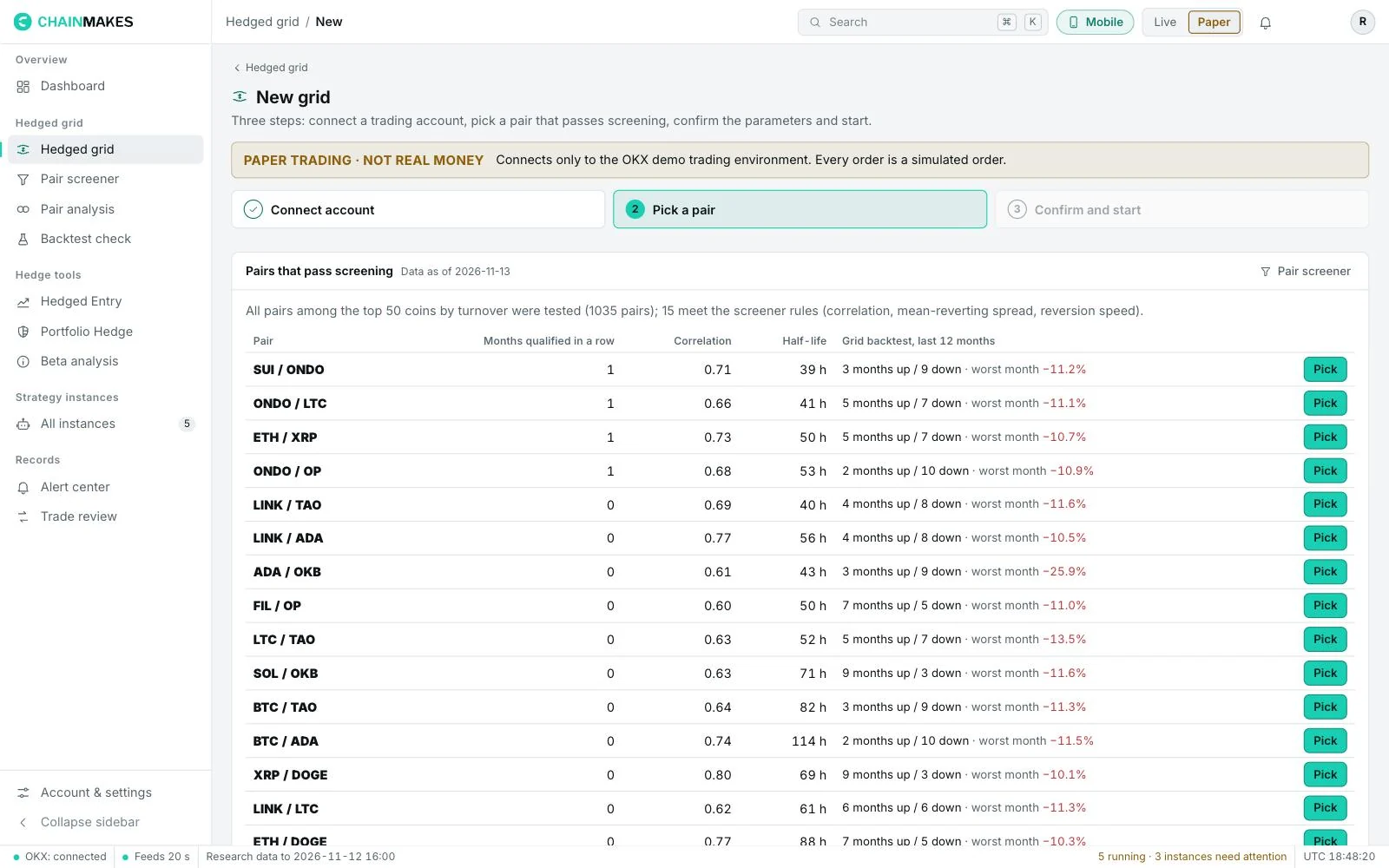
Pair screener
Using only data from before each round, it screens pairs by correlation, cointegration and half-life, and shows each pair's past grid backtests. Screening lowers risk; it does not guarantee a profit.
Opportunity radar
Keeps scanning the spread position and changes of qualifying pairs and alerts you when your conditions are met. Add pairs to a watchlist to follow them.
Paper and live
Paper trading uses the exchange's own demo funds with the same rules as live. Switch to live when you're ready; instances and records are kept separate.
Alerts and review
Telegram alerts
Fills, hitting a loss exit line, pairs that stop qualifying and connection problems can all be pushed to Telegram.
Alert center
Every alert in one place, filterable by rule, pair and severity.
Trade review
Fills, fees, funding and P&L for each instance, reconciled with your exchange statements.
Hedging tools (Advanced)
Hedge positions you hold, or plan to open, against BTC.
Hedged Entry
Go long the coins you like and short BTC by beta, so what you earn is the part that beats the market. Rules can rebalance automatically.
Portfolio Hedge
Enter the coins you already hold; the tool only places BTC shorts to hedge your existing holdings against the market.
Beta analysis
See each coin's beta to BTC and how it changes, to set your hedge ratio.
P&L breakdown
Split a hedge instance's P&L into excess return, hedge drift, fees and funding.
Agent access
Let an AI assistant run paper trades
Create a token that only works on paper trading, and your AI assistant can read market data and create and manage paper grids. Revoke the token at any time.
Screenshots are from paper trading; the data is for illustration only.